The Dispatch is the society's publication at /blog. If your account has the writer
role, /write is your desk.
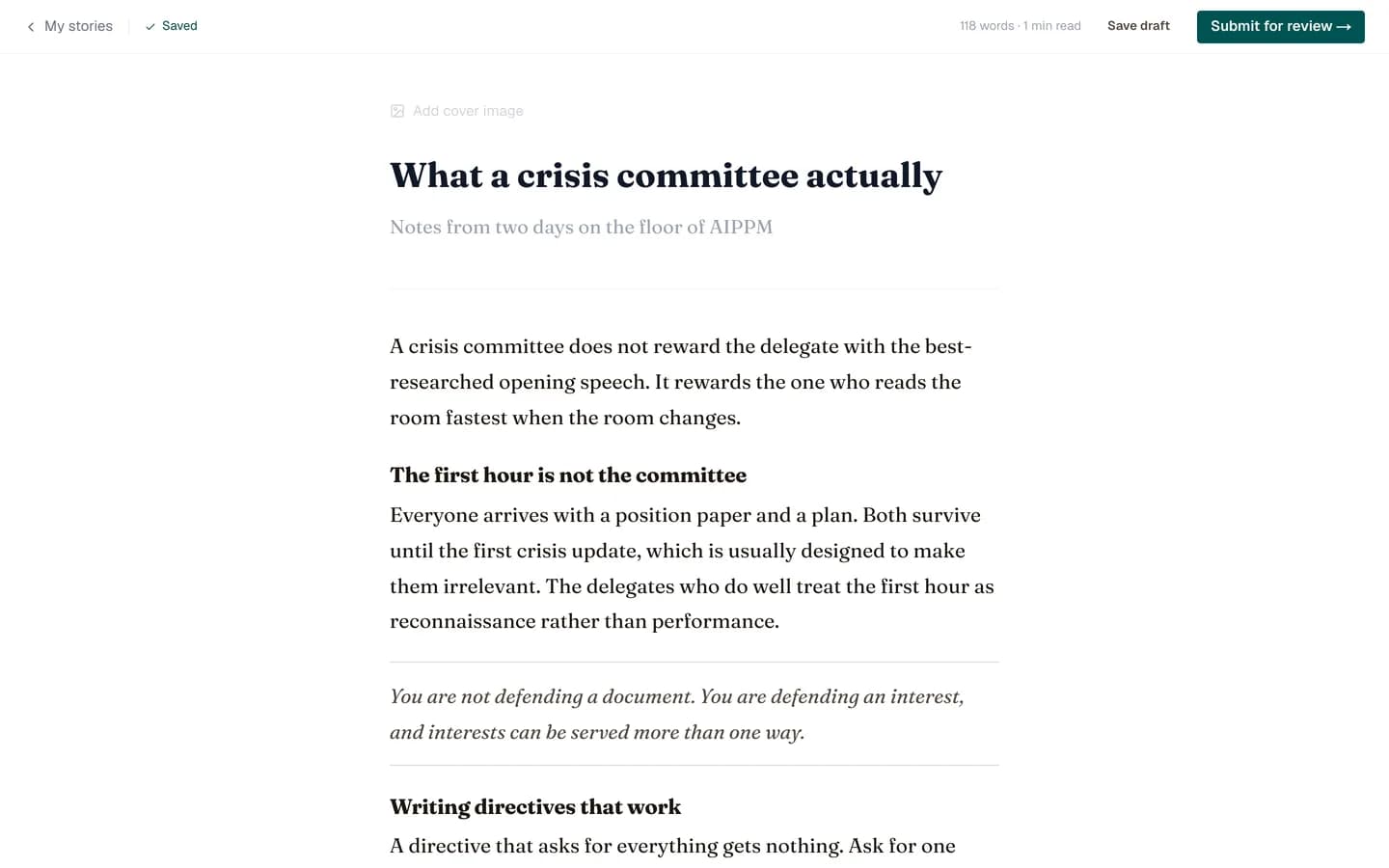
Starting an article
/write lists everything you have written with its current state. New article
creates an empty draft and drops you straight into the editor.
The editor
| Part | Notes |
|---|---|
| Title | The headline. Also used for the browser tab and link previews. |
| Subtitle | One line under the title. Optional but worth writing. |
| Cover image | Uploaded from your machine. It is what appears on the Dispatch index and in link previews. |
| Tags | Free-form. They show under the article. |
| Body | The article itself. |
Formatting
Select some text and a small toolbar appears over it: bold, italic, headings, links, quotes. On an empty line, an insert menu offers images and other blocks. There is no formatting toolbar pinned to the top, deliberately, so the writing surface stays clear.
Images inside the body are uploaded the same way as the cover.
Autosave
Your work saves automatically about a second and a half after you stop typing. There is no save button and you do not need one.
Note
Autosave never changes an article's review state. Editing a published article does not unpublish it, and editing a draft does not submit it. Only the submit button moves an article forward.
Reading time
Calculated from the body as you write and shown on the published article. It is not something you set.
Writing well for this publication
- Put the point in the first paragraph. Readers arrive from a link, not from the index.
- Use headings. They become the article's structure and help people scan.
- Give images captions and meaningful alt text.
- Check your links before you submit; the review queue will bounce broken ones back to you.
Next: submitting for review.