Press Present in the builder. The console disappears and you get a full-screen projector view.
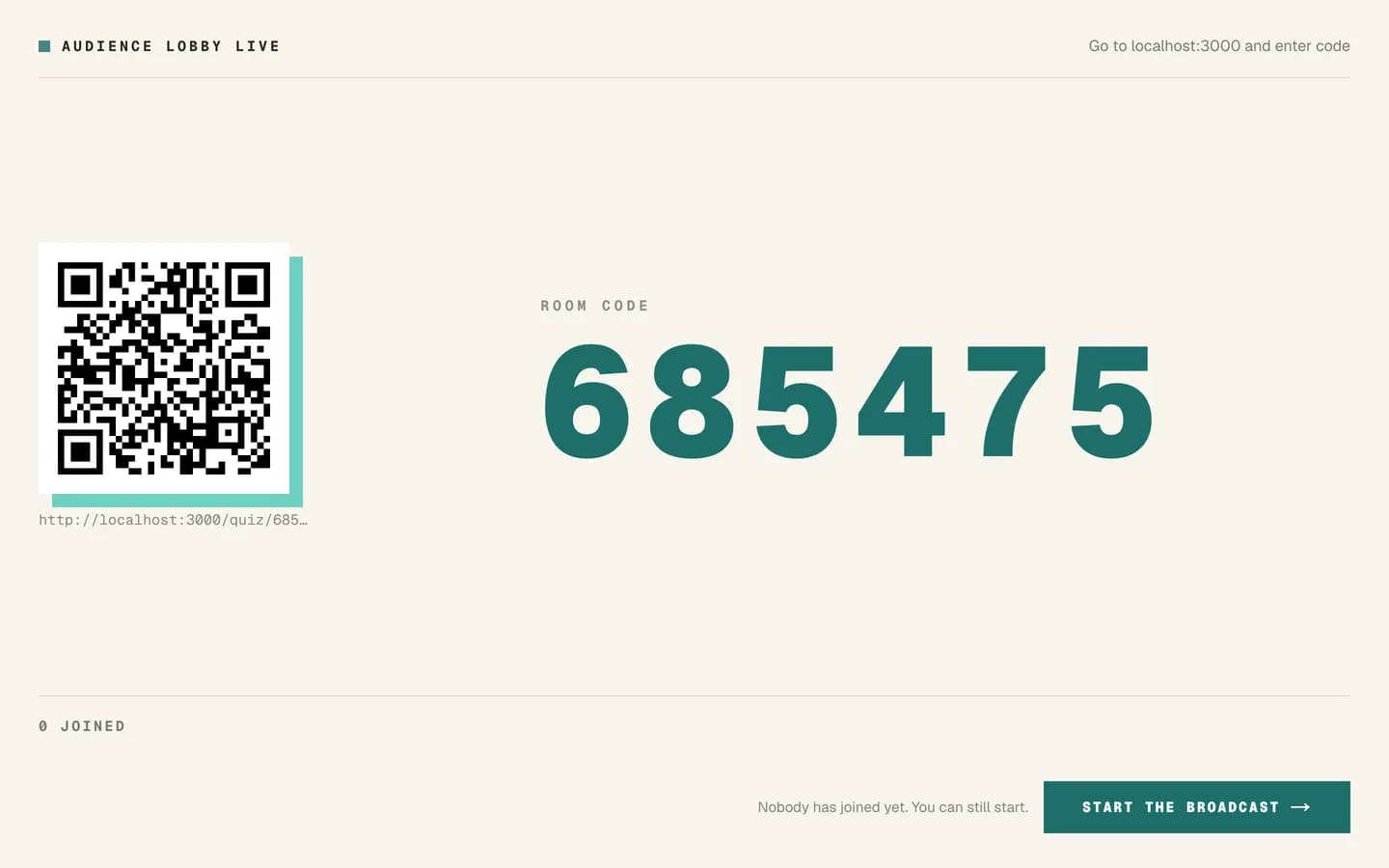
The lobby
The first screen shows a six-digit room code. The audience enters it at
/quiz/join. You will see participants appear as they join.
Wait for the count to settle before starting. People are slower than you expect.
Running it
Advance through the slides. Each timed question shows a countdown ring, then locks, then reveals. Results are visualised per type: bars for multiple choice, a distribution for numeric, a growing cloud for word clouds, and so on.
In quiz mode a leaderboard appears between questions, with confetti for the top of it.
Timing is on the server
Deadlines are held by the server, not by any browser. That means:
- reloading the presenter view does not restart the question;
- a participant on a slow connection is not penalised for their own latency;
- everyone's countdown agrees.
Resuming after a crash
The presenter URL carries the session. Reopening the same URL resumes the same run with its scores and leaderboard. Opening the presentation fresh starts a new session with a new room code and an empty leaderboard.
Careful
If your laptop dies mid-session, reopen the same URL from the browser history rather
than starting the presentation again from /admin/quiz. Starting fresh loses the
leaderboard and gives everyone a new code to type.
Ending
Ending the session stops the room code working. Do it deliberately, at the end.
Practical advice
- Test the projector first, including the theme, from the back of the room.
- Have the code visible somewhere other than the slide people are answering.
- Tell the room it is anonymous if you are in poll mode. Participation doubles.
- The code is the only lock. Anyone with it can join.