/admin/import brings delegates in from a spreadsheet, usually a cross-delegation list
from another institution.
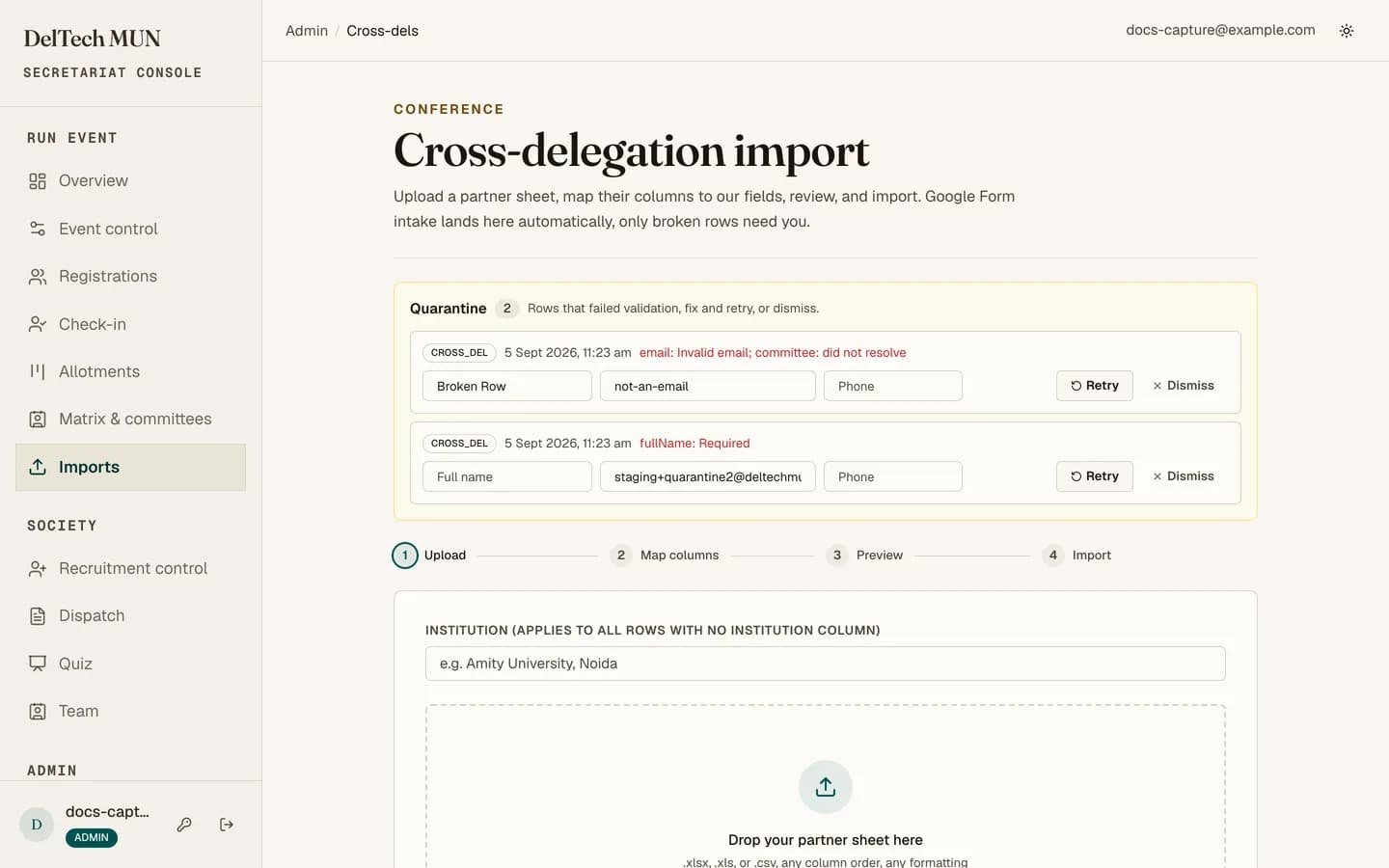
The four steps
-
Upload. A CSV or XLSX file. It is parsed and you see what was found.
-
Map. Match the spreadsheet's columns to platform fields. Full name and email are required; the rest are optional. An AI suggestion pre-fills the mapping, which you then check.
-
Preview. See exactly what will be created, row by row, before anything is written. Mapping mistakes are visible here, which is the entire point of the step.
-
Import. Commit the clean rows. Delegates whose preferred seat is open are allotted as drafts and are not emailed. Email them from Allotment when ready; the Google Form webhook works the same way.
If an imported delegate's details are wrong (a mistyped email that bounced, say), click their name on Allotment or Delegates and use the pencil to fix it, then email again.
Do not do this
A successful upload is not a successful import. The preview and the quarantine queue are part of the workflow, not optional extras. Skipping straight from upload to import is how a hundred delegates get created with their phone numbers in the institution field.
Presets
Save a mapping and reuse it. Partner institutions send the same spreadsheet shape every year, so mapping it once is worth it.
The AI helpers
Two of them: one suggests which spreadsheet column is which field, and one cleans messy rows, for example normalising inconsistent institution names.
Both are suggestions. Read the preview. The AI is good at obvious columns and confidently wrong about ambiguous ones.
Quarantine
No row is ever silently dropped. A row that fails validation goes to the quarantine panel rather than disappearing, with the reason.
From there you can fix the source and retry the row, or dismiss it if it was never meant to be imported. Work the queue to empty after every import; a row sitting in quarantine is a delegate who thinks they are registered and is not.
Duplicates
The email address is the identity. A row whose email already exists is rejected rather than creating a second record for the same person.
Cross delegations
Under Delegates → Cross delegations, the linked-sheets card lets a delegation submit through a Google Form, arriving live rather than as a file you have to chase. See Google Forms and Sheets.
After importing
Check /admin/registrations filtered by source. Imported delegates are attributed
distinctly from ones who used the public form, so you can confirm the count landed and
spot anything odd.