A short orientation so you can find things before you need them.
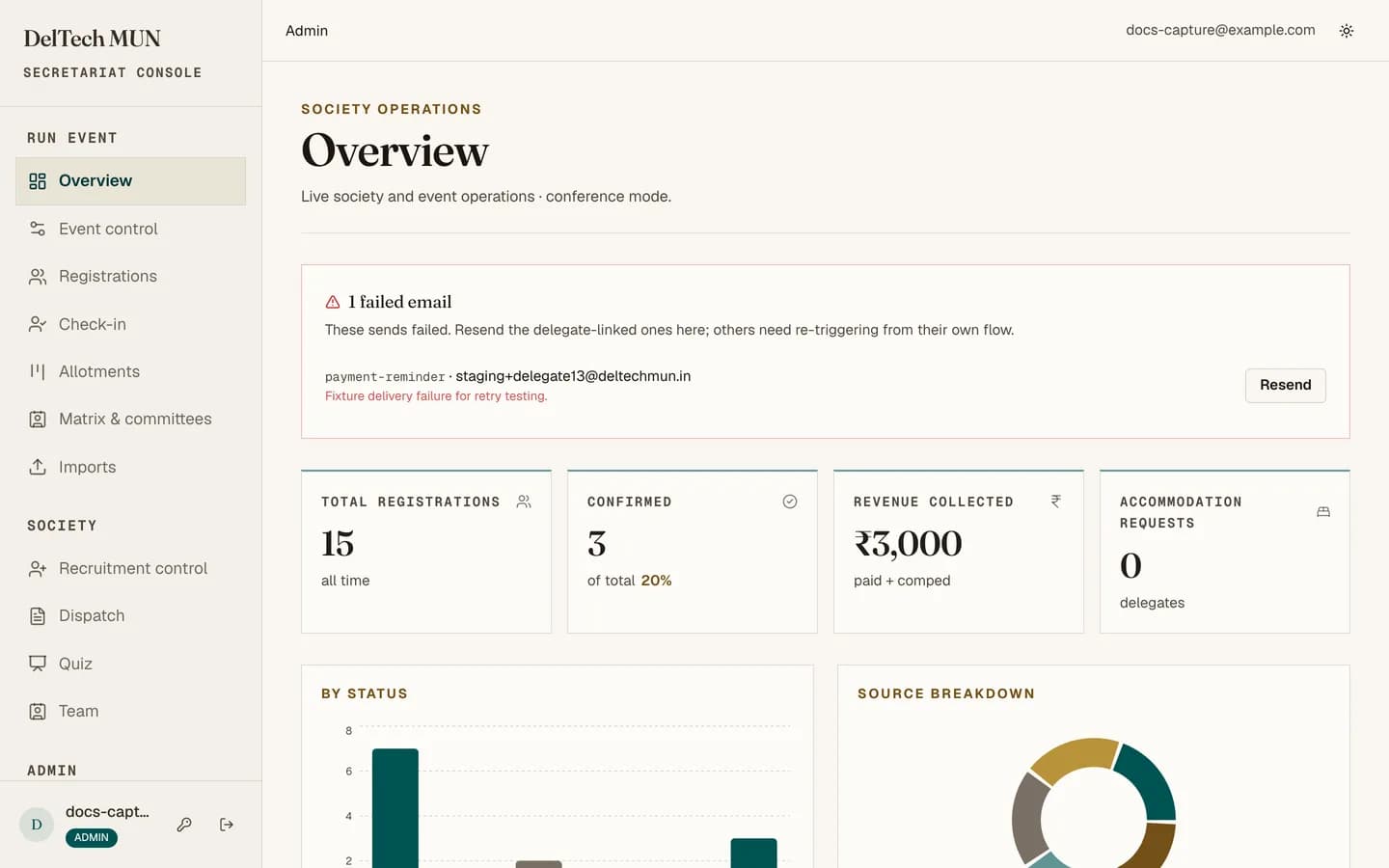
The sidebar
Event. One entry for whichever event is running, the main conference or an Intra MUN alike. Inside it, the event's name and state sit above a single row of tabs, in the order an event runs:
- Overview: numbers, the committee fill rate, failed emails.
- Setup: starting or closing the event, public details, committees and the matrix, fees and payments. What an event does not use, such as payments, is switched off here; it does not get a different set of screens.
- Delegates: the one list of everyone in the event, with its filters, the follow-up log in each delegate's drawer, and the ways people get onto the list: Google Form, cross delegations, and accounts (including people who signed up and never applied).
- Allotment: the live board.
- Mail: announcements and reminders to this event's delegates. Pick a stage (not allotted yet, allotted but unpaid, confirmed, checked in), set filters, or tick people on the delegate list and choose Email selected. A single delegate's drawer has an Email button too.
- Check-in: the desk scanner.
Society. Things that outlive a single event: recruitment, the Dispatch queue, quizzes, PR outreach (announcements to the opt-in outreach list, and its contacts), the team roster.
Admin. The guide, the activity log, and staff and roles.
Items you cannot use are hidden rather than shown greyed out, so a maintainer's sidebar is genuinely shorter than an admin's.
The overview
The first thing you see. It carries:
- Counters for total registrations, confirmed delegates and the confirmed percentage, revenue including comped fees, and accommodation requests;
- A status chart showing where everyone is in the pipeline;
- A source chart showing where registrations came from;
- A committee fill-rate table;
- Recent failed emails, so delivery problems surface without being looked for;
- The launch checklist, for maintainers, until the conference is set up.
Things worth knowing
The theme toggle is in the header and follows you across the whole site.
A preview badge appears in the header when you are not on production. If you see it, you are on a staging deployment and your changes are not affecting the live site. If you do not see it, you are on production. Check before doing anything destructive.
Every list has a loading skeleton, so a blank flash is the page loading, not an empty result.
Bad links stay inside the console. A wrong id or token gives you a not-found page with the sidebar still there, rather than throwing you onto the public site.
Where the guarded actions are
They are not hidden. They are in the ordinary places, but a maintainer simply does not see the button. If a colleague describes a button you cannot find, you are probably a maintainer and they are an admin. See roles and permissions.