/recruitment/candidates/<id> is everything recorded about one person, on one page. Read
it before an interview and before a decision.
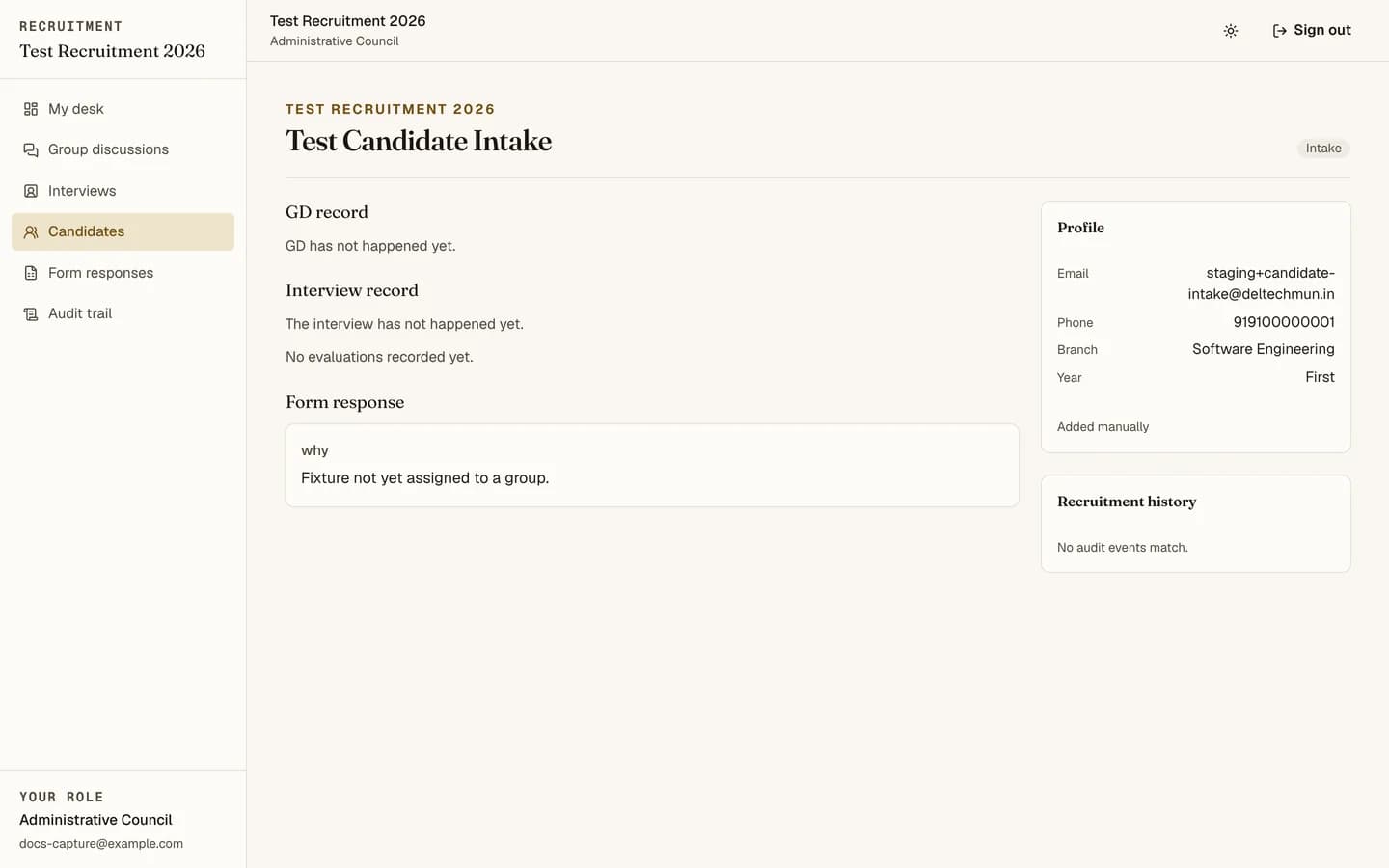
What is on it
| Section | Contents |
|---|---|
| Profile | Name, contact details, and whatever the application form captured. |
| Group discussion | The session, per-evaluator scores and remarks, and the aggregate. |
| Interview | The session, scores, remarks and recommendations. |
| Application response | Their form answers, verbatim, as submitted. |
| Provenance | Which import this candidate came from and when. |
| Stage history | Every state they have been in and every transition, with who and when. |
When there is no group discussion record
The page says which of three things happened, rather than showing a blank:
- bypassed, with who authorised it, when, and the reason they gave;
- not required, per the cycle's stage rules;
- pending, meaning it has not happened yet.
Making the distinction explicit means nobody has to guess whether a missing GD is a decision or an oversight.
Whose scores you see
Your own by default. Senior and Administrative Council see everyone's. See scoring and the rubric.
The candidate list
/recruitment/candidates filters by stage and result, and searches by name or email. The
search can optionally look inside stored form answers, which is how you find "everyone
who mentioned debating" without reading every dossier.
From the list you can export all candidates, export a selection, or email a selection.
Reading one properly
The verbatim application response is the most under-used part of the page. It is what the candidate actually wrote, before anyone summarised it. Read it before you read the scores, so the scores do not colour it.