/recruitment/gd holds group discussion panels. Junior Council and up.
Creating a panel
The dialog offers candidates who still need a group discussion, so you cannot accidentally schedule someone twice.
| Field | Notes |
|---|---|
| Title | Names the panel. |
| Scheduled time | Optional. |
| Candidates | Up to sixty, though a workable GD is far smaller. |
| Staff | Up to twenty, each with a may score tick. |
| Notes | Up to two thousand characters. |
The "may score" tick
This is the control that matters. A staff member on the panel without it can assist and mark attendance but cannot submit an evaluation. Use it to bring Junior Council members into panels for training without their scores counting.
Running a session
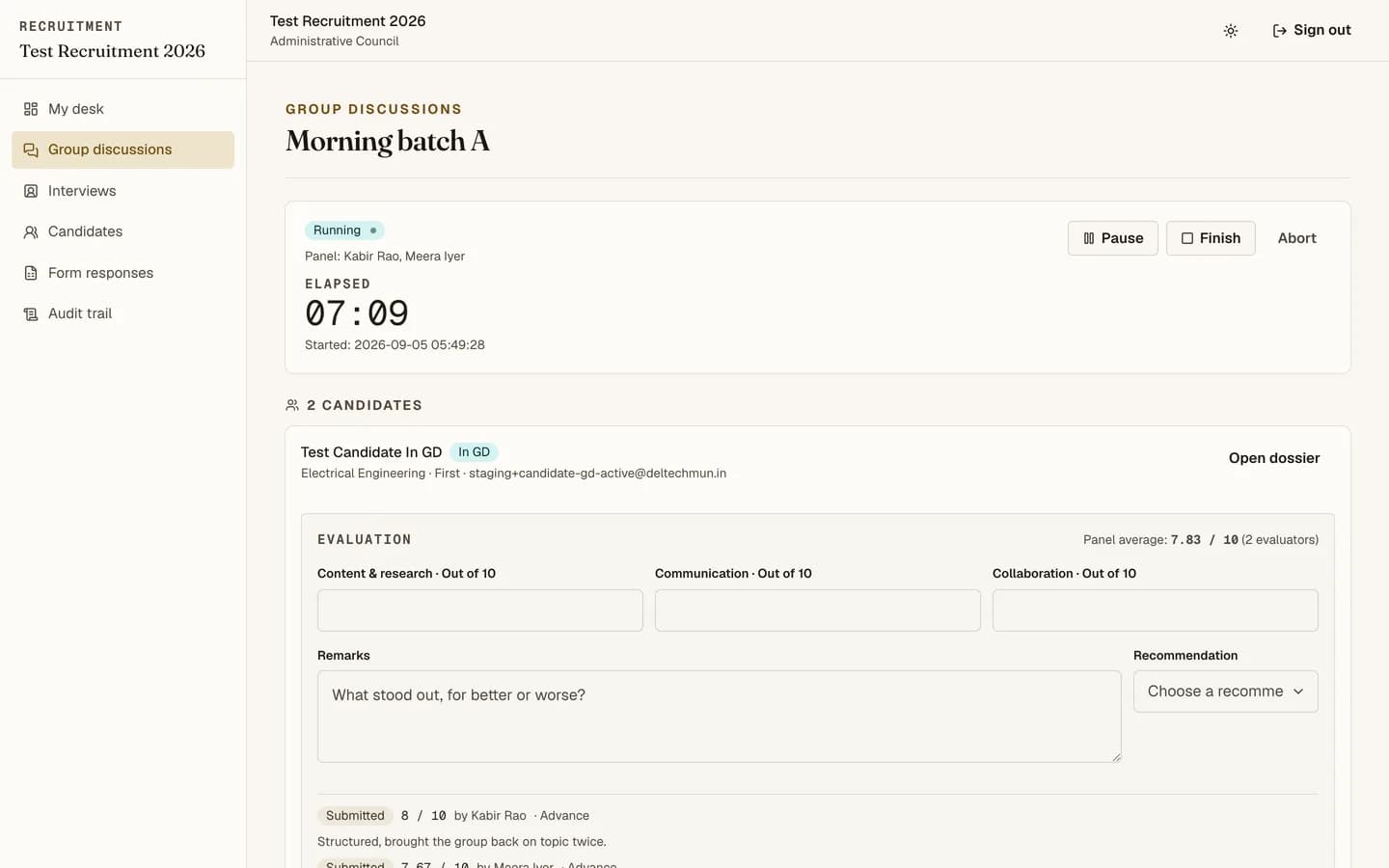
Open the console for the group.
-
Mark attendance as candidates arrive. Absences are recorded, not left blank.
-
Start the session. The timer runs on the server, so every evaluator sees the same clock and reloading changes nothing.
-
Pause and resume as needed. Paused time is excluded from the elapsed total.
-
Finish when the discussion ends. Or abort if it collapsed and should not count.
-
Submit evaluations for each candidate, if you may score.
Why you cannot double-book
A candidate can only be in one live session at a time. That is enforced at the database level, not by the interface, so two Junior Council members creating overlapping panels cannot produce a candidate expected in two rooms.
The controller lease
One person drives the session controls at a time. This prevents two people pausing and resuming against each other. If you need control, the console will tell you who has it.
Aborting versus finishing
Finish means the discussion happened and evaluations count. Abort means it did not: use it when a panel collapses, too few candidates turn up, or something went wrong. Aborting is recorded with a reason.
Only Administrative Council can reopen a finished session, so finish deliberately.
Your desk
/recruitment shows your own active and upcoming sessions with live timers, and the
evaluations you still owe. Start there each day rather than at the group list.