Event control at /admin/config is the highest-leverage page in the console. It
decides what the public site is.
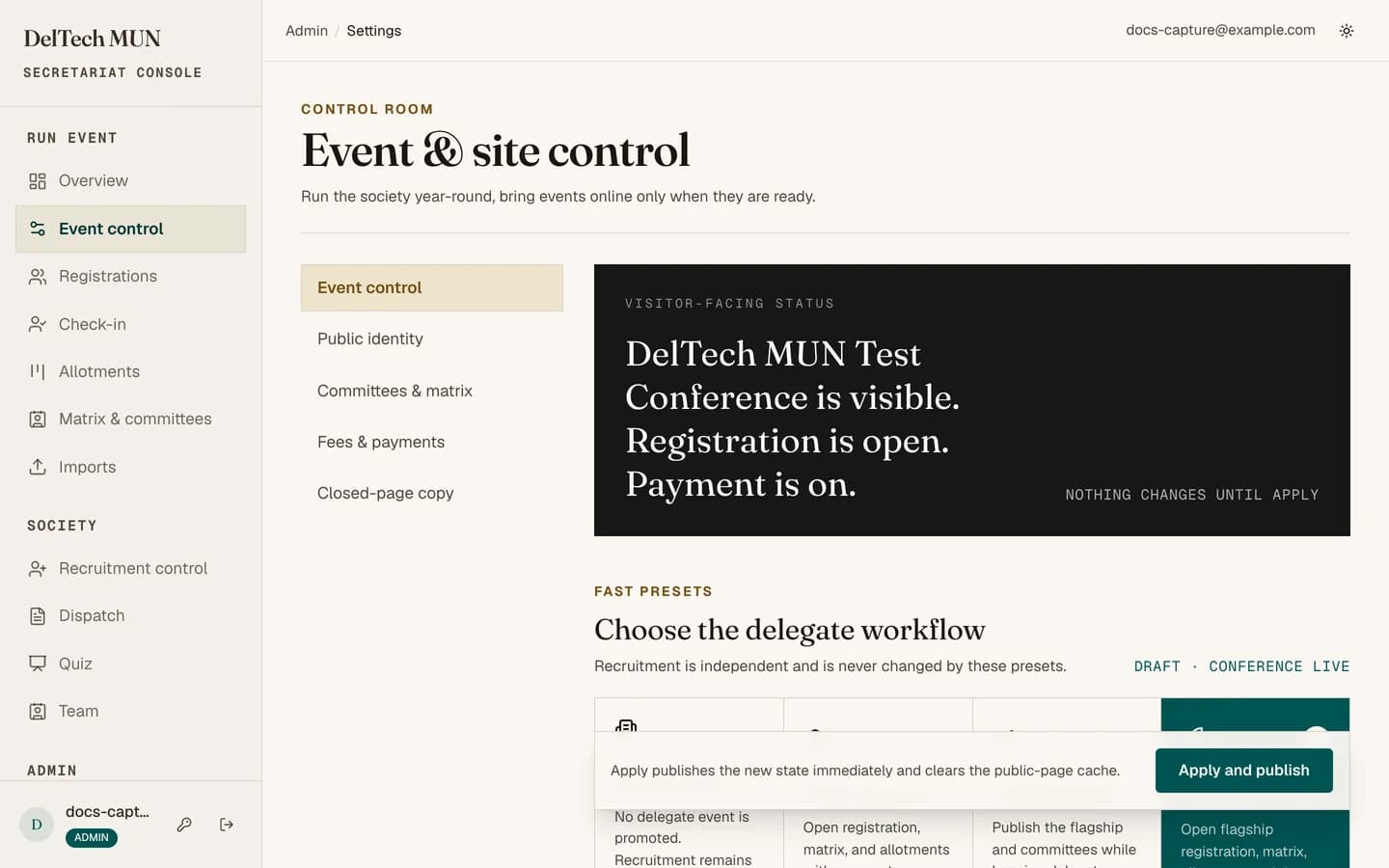
The three operating modes
| Mode | Homepage shows | Registration | Payments |
|---|---|---|---|
| Society | The society itself, no conference. | Structurally off. | Not applicable. |
| Intra MUN | The event. | Works normally. | Entirely disabled. |
| Conference | The event. | Works normally. | Normal paid flow. |
What Intra MUN actually changes
This is the mode people misunderstand. In Intra MUN mode, allotment does not create a payment at all. A delegate goes from Registered straight to Confirmed the moment they are allotted, no payment link is emailed, no reminders are sent, and the payment pages tell a delegate there is nothing to pay.
Use it for free internal events. Do not use it for a paid conference where you happen not to have set the provider up yet, because delegates will be confirmed without paying and there is no automatic way to reverse that in bulk.
The four presets
Four one-click configurations that set the mode and the section switches together:
- Society only. Between conferences.
- Free Intra MUN, open. An internal event taking registrations.
- Conference PR. The conference is announced and visible, but intake is not open.
- Paid registration. The full live conference.
Start from the preset closest to what you want, then adjust. It is faster and less error-prone than setting eight switches by hand.
Event details
Name, label, subtitle, dates, venue and the call-to-action label. The live preview card next to the form shows what the public hero will look like as you type.
The eight section switches
Each turns one part of the public site on or off: active event, registration, committees, matrix, Dispatch, team, quiz, recruitment.
Note
Turning a section off removes it from the homepage, the header and the footer at the same time. You never end up with a nav link pointing at a hidden page.
Two switches that are not sections
Accept registrations is the intake switch. See opening and closing registration.
Payments is admin-only. It is a global off switch for the whole payment system, separate from the mode.
Changing mode mid-conference
Possible, but think first. Moving from Conference to Intra MUN stops payments being created for anyone allotted afterwards, while existing payments stay. Moving to Society mode takes the conference off the public site while delegates still hold status links. Neither is reversible by simply switching back, because the records created in between already exist.