Your status page lives at /status/ followed by your private token. It is the single
place that always tells you where your application stands.
It needs no account
The link works for anyone who has it. That is convenient, and it is also why you should treat it as private: your name, email, institution and payment state are all visible on it.
If you lose the link, create an account with the same email address and use the dashboard instead.
The statuses
| Status | What it means | What you do |
|---|---|---|
| Registered | Your form is in. Nothing is allotted yet. | Nothing. Wait. |
| Allotted | You have been given a committee and a portfolio. | Look at the allotment shown on the page. |
| Payment sent | A payment has been raised for you and a link emailed. | Pay it before the deadline. |
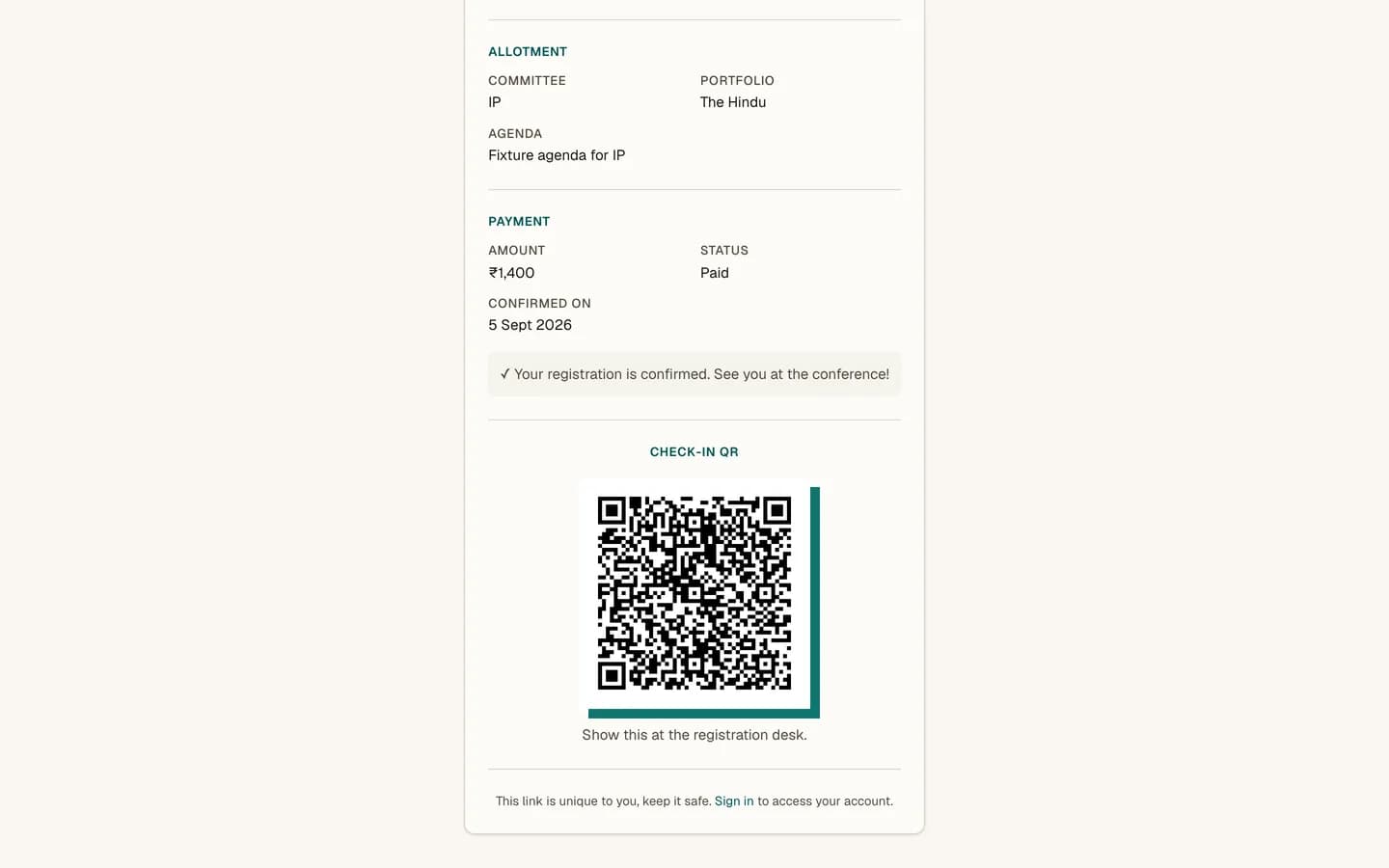
| Confirmed | Paid, comped, or a free event. Your seat is secure. | Nothing until conference day. Your QR code appears. |
| Waitlisted | Registered, but not currently in line for a seat. | Wait, or contact the secretariat. This is set by hand, not automatically. |
| Cancelled | The registration has been withdrawn. | Contact the secretariat if this is unexpected. |
Note
At a free event there is no payment step at all. The allotment email confirms you, and you go straight from Registered to Confirmed.
What appears when
- Your allotment, once you have one: committee, portfolio and the committee's agenda.
- Your co-delegate, if you registered as a pair.
- Your payment, once one exists: the amount, whether it is paid, and a Pay Now button.
- Your check-in QR code, only once you are
CONFIRMED. It does not appear earlier.
If you are signed in
The page offers a link to your dashboard. If you are not, it offers a sign-in prompt, which is optional.
Nothing is happening
Allotment is manual work and can take days, particularly right after registration opens. Your status staying on Registered for a while is normal. Contact the secretariat if a published allotment date has passed.