/admin/registrations is the master list of everyone who has registered.
Finding people
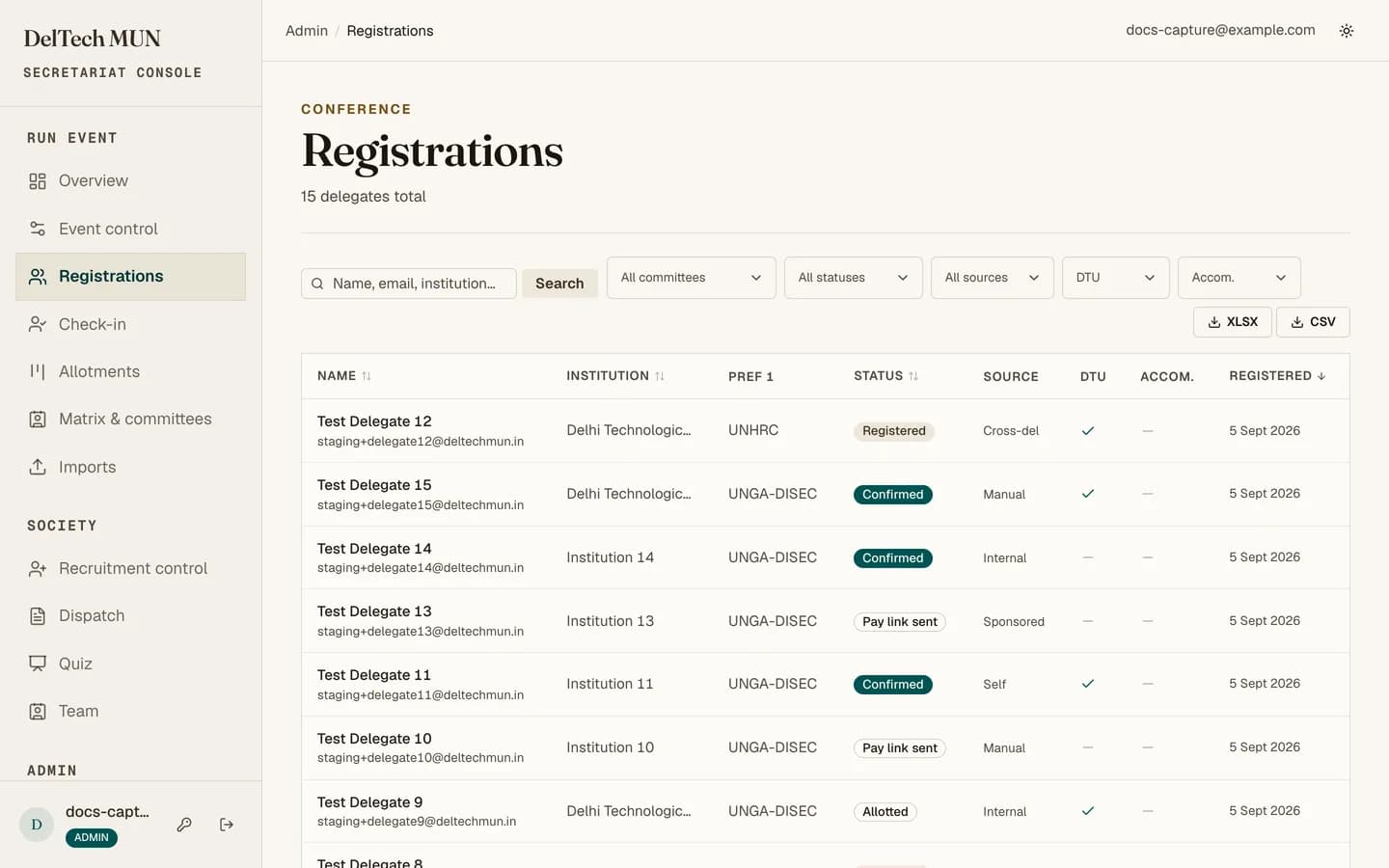
A free-text search plus five filters: committee, status, source, DTU, and whether they asked for accommodation. Columns are sortable. The list pages at twenty-five rows.
The filters are in the URL, so a filtered view can be sent to a colleague as a link.
The delegate drawer
Clicking a row opens a drawer with everything about that person: their details, their preferences, their allotment, their payment, their co-delegate, and the history of every email sent to them.
Editing
Editable from the drawer: full name, email, WhatsApp, alternative phone, institution, DTU flag, MUN experience, both portfolio preferences, both accommodation switches, and the reference.
Careful
Changing the DTU flag changes which fee tier applies. If the delegate is not yet allotted this is free. If they are already allotted, their payment was priced at the old tier and does not move; you will have to sort the difference out by hand.
Trying to change an email to one that already exists gives you a clear duplicate message rather than a database error.
Emails
The drawer lists every message sent to this delegate, with whether it succeeded. Any of them can be resent from here. This is the fix for "I never got my allotment email".
Adding someone on the spot
Add delegate, top right, is for walk-ins. Enter their name, email, phone, and roll number (Intra MUN) or college, and optionally the committee and portfolio they want. It works even when public registration is closed. They are listed with the source Manual and emailed their application link. Add and give a seat takes you to Allotment with their seat dialog already open.
Exporting
Export as CSV or XLSX. Filters apply to the export, so set them before you press it. Exporting the whole list when you wanted one committee is the single most common mistake on this page.
Exports contain personal data. Treat the file accordingly: do not put it in a shared drive without thinking, and delete it when you are done.
What you cannot do here
Comping, cancelling, marking a payment received offline, and deleting are admin-only and live in payments and reconciliation. Allotment is its own page: the allotment floor.
Correcting rather than recreating
If someone registered twice, edit the good record and ask an admin to cancel the other. Do not delete one and leave the other, and do not create a third.