Sign in at /signin. There are two ways in, on two tabs.
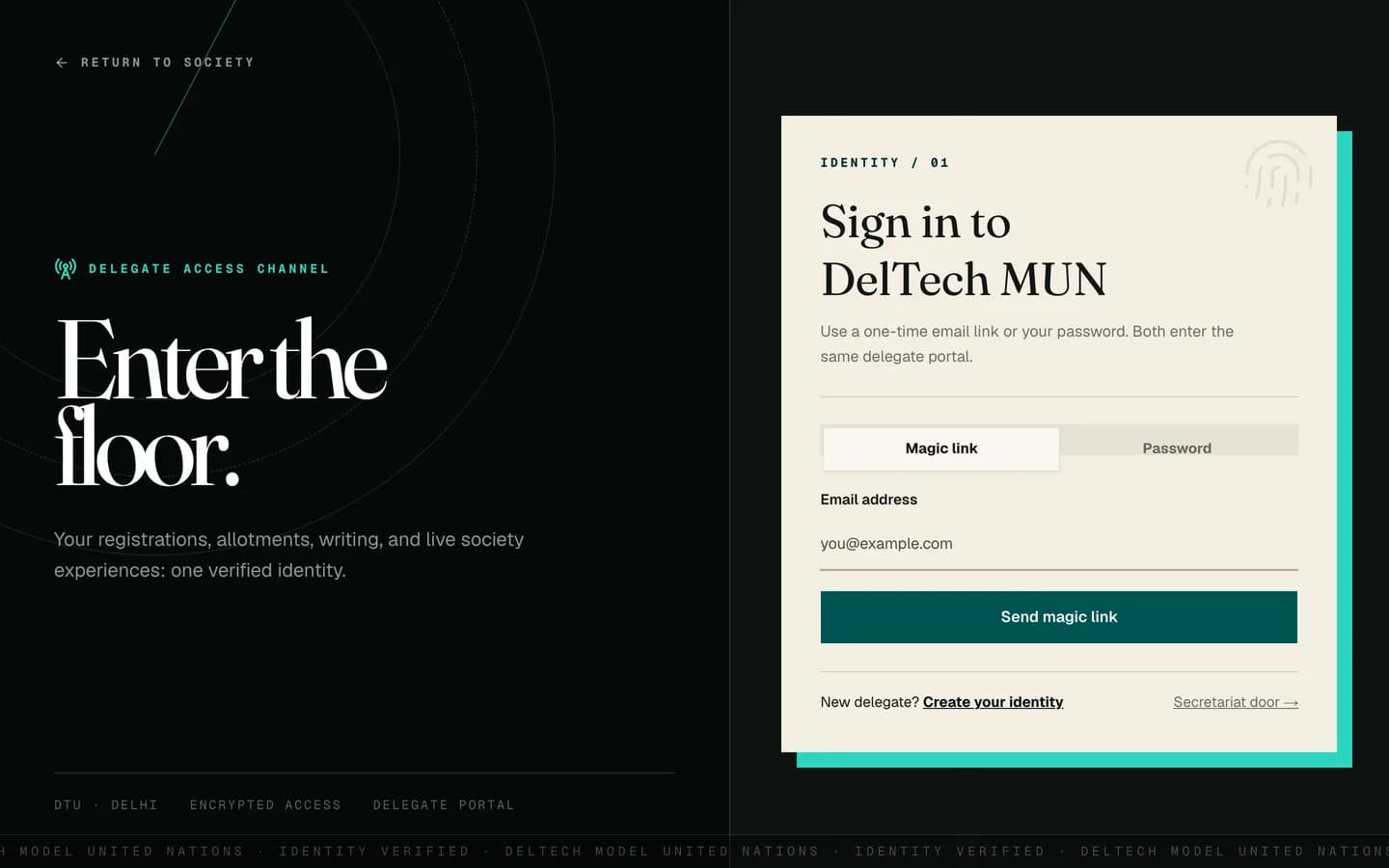
Magic link
Enter your email address. A one-time sign-in link is emailed to you. Click it and you are in. The link expires, so use it promptly and request a fresh one if it has gone stale.
Note
After you submit, you always land on the same "check your email" page, whether or not an account exists for that address. That is deliberate: it means a stranger cannot use the sign-in form to find out who has an account.
Password
Enter your email and password. If you signed up with a magic link and never set a
password, this tab will not work for you yet. Use the magic link tab, then set a
password at /account.
Older accounts that created a password before email verification must also use a magic
link once. After following it, set a fresh password from /account.
Forgetting your password
There is no "reset password" email with a reset link. Instead:
-
Click Forgot password? on the sign-in form. It switches you to the magic link tab.
-
Request the magic link and click it in your email. You are now signed in.
-
You land on
/account, where you can set a new password. Because you signed in by email rather than with the old password, it does not ask you for the old one.
This is fewer moving parts than a reset-token flow and there is no reset link that can leak or go stale.
Staff sign in somewhere else
The secretariat uses /signin/staff. It is the same mechanism with the magic link
tab first, because invited staff have no password until they set one. See
getting your staff account.
When it will not let you in
| What you see | What it means |
|---|---|
| The credentials are rejected | Wrong password, or you never set one. Use the magic link tab. |
| Too many requests | Rate limited. Sign-in allows ten attempts per ten minutes, magic links five per fifteen minutes. Wait it out. |
| A generic "try again" error | Something failed on our side rather than yours. Try once more before assuming your details are wrong. |
| Signed in but sent somewhere unexpected | You are sent to the home page for your role. A delegate account always lands on /dashboard. |
Being signed out unexpectedly
Sessions are re-checked against the database periodically. If your role changes or an account is disabled, the live session stops working rather than waiting for it to expire. This is normal and not a fault.