/admin/checkin is the desk on conference day.
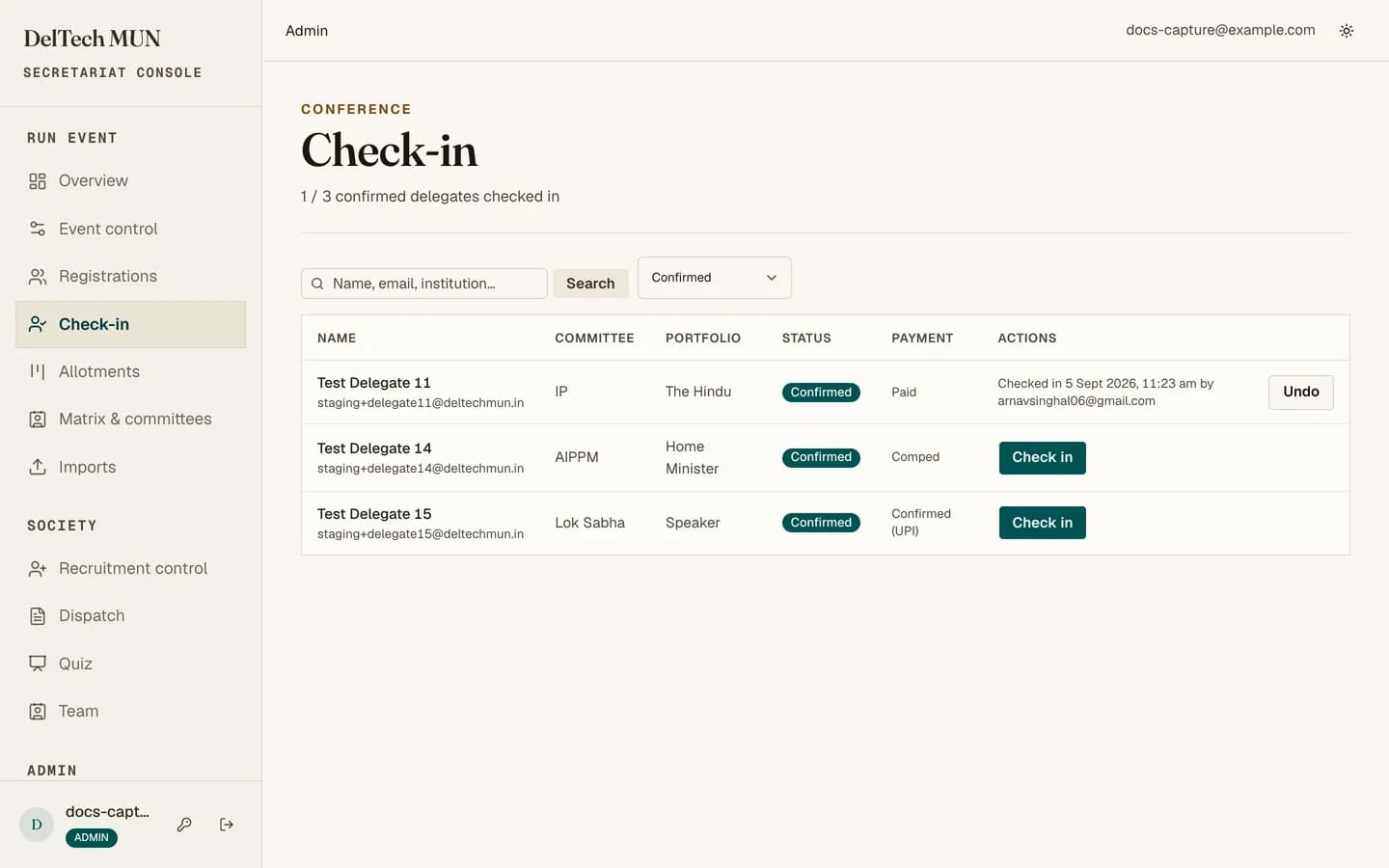
Two ways to check someone in
By QR code. The delegate shows the code from their status page. Scanning it opens their check-in page directly. This is the fast path and what you should encourage.
By search. Search the list by name or email and open them. Use this when a phone is dead or a code will not scan.
The check-in page
Shows who they are, their committee and portfolio, whether they are a DTU student, whether they requested accommodation, and their payment state. If they are not confirmed, a clear warning appears above everything else.
Press the button to confirm the check-in.
Safety properties worth knowing
- It is idempotent. Scanning the same delegate twice does not create a second check-in. Two staff scanning at once is fine.
- It is undoable. If you check in the wrong person, undo it.
- The list is capped at three hundred rows, so filter or search rather than scrolling.
Delegates who are not confirmed
You can still check them in. The warning is there so it is a decision rather than an accident. Usual practice is to resolve the payment at the desk first: check whether it is a UPI payment nobody marked received, in which case an admin can mark it offline on the spot.
Running the desk
- Two people, two devices is much faster than one, because scanning is the bottleneck, not the confirm.
- Watch the counter. It shows how many of the confirmed delegates have arrived, and it is the number the secretariat will ask for.
- Have an admin nearby for payment problems, which you will get in the first hour.