Payment happens after allotment, never before. You cannot pay to reserve a seat.
How your fee is decided
The secretariat defines fee tiers, and your fee is picked at the moment you are allotted, from two things:
- the type of the committee you were allotted to (standard, crisis or press), and
- whether you are marked as a DTU student.
So the same conference can charge four different amounts, and your fee is not known until you have a committee. If your DTU status is wrong on your record, get it fixed before allotment rather than after.
The three ways to pay
Which one you get depends on how the secretariat has configured this conference. You do not choose.
| Method | What you see |
|---|---|
| Razorpay | A payment button. Cards, netbanking and UPI all work. Confirmation is automatic and usually arrives within a minute. |
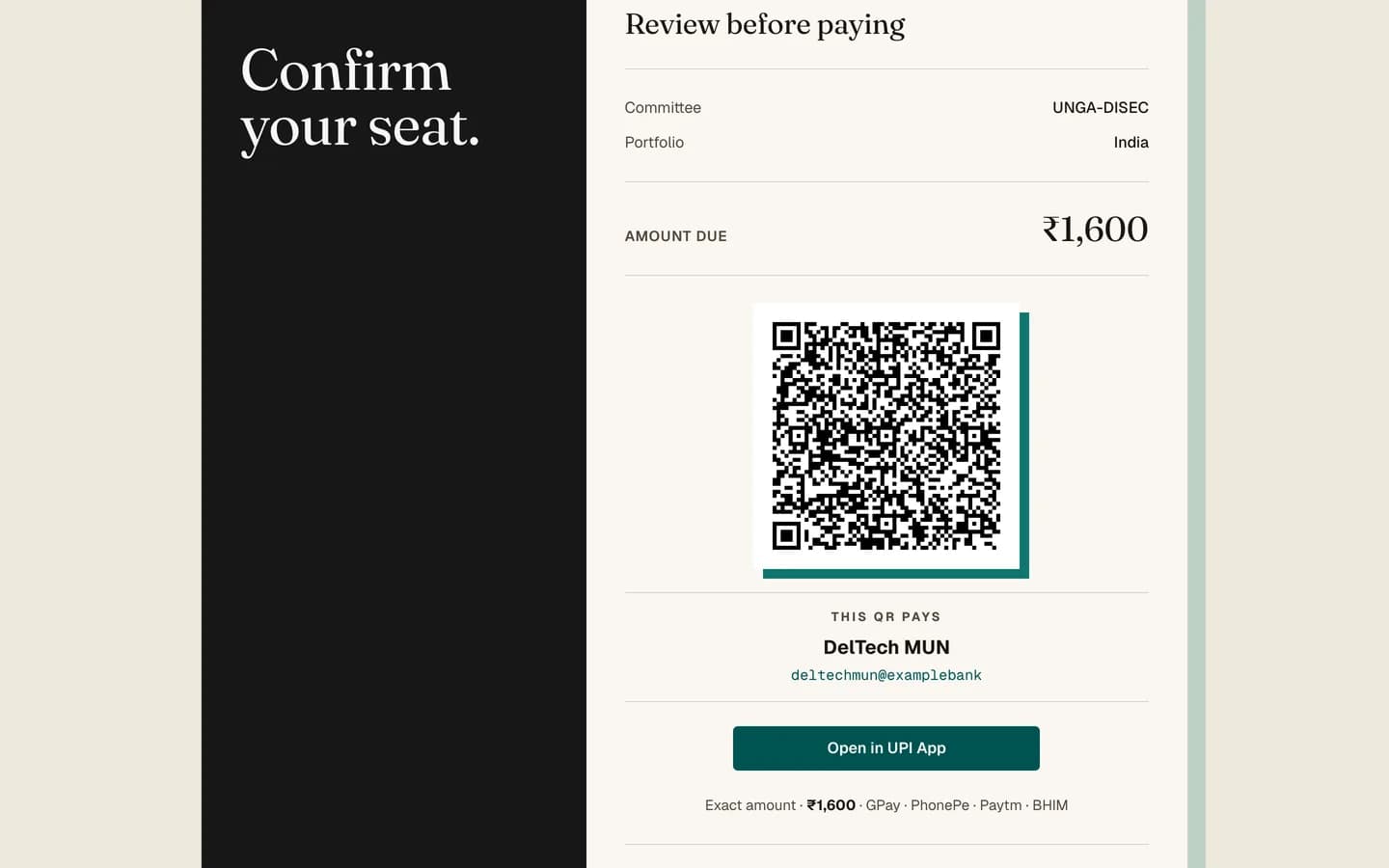
| UPI QR | A QR code and a UPI ID. Pay from any UPI app, then follow the proof-upload instructions on the page. Confirmation is manual. |
| Static link | A single payment link the secretariat has set up elsewhere. Confirmation is manual. |
Careful
With UPI and static links, paying does not confirm you by itself. A staff member has to mark your payment received. Keep your transaction reference and upload proof if the page asks for it. Allow a day or two before chasing.
Deadlines
If the secretariat has set a payment deadline it is shown on the page. Missing it does not automatically cancel you, but it does free your portfolio to be given to someone else, so treat it as real.
You will get a reminder email if you have been allotted and have not paid. Reminders go out once a day and the same reminder is not sent twice within twenty-four hours.
Refunds
The refund policy, if there is one, is shown on the payment page. It is written by the secretariat, not by the platform. If there is no policy shown, ask before you pay.
After you pay
Once your payment is recorded your status becomes Confirmed, a receipt email arrives, and the check-in QR code appears on your status page.
If a payment fails
A failed card or netbanking attempt is recorded but changes nothing about your registration. Try again from the same page. If the amount left your account but your status did not change, do not pay a second time: contact the secretariat with your transaction reference.
Comped fees
A staff member can waive your fee entirely. If that happens your status goes to Confirmed with no payment, and you will see the fee marked as comped. There is nothing for you to do.